
MacBook Pro Review for Aviation Professionals
See why MacBook Pro is a strong laptop for pilots, airline managers and frequent business travelers who need battery life, performance and portability.

MacBook Pro Is a Serious Mobile Workstation for Aviation Professionals
Aviation professionals rarely work from one desk. Aircraft brokers travel to inspections, airline executives move between stations, consultants work from lounges and hotels, and pilots routinely manage training, planning and administrative work between trips.
A laptop used in that environment needs more than impressive benchmark numbers. Battery endurance matters when the nearest power outlet is occupied. Screen quality matters when reviewing contracts, aircraft photographs or financial models for several hours. Portability matters every time the machine goes back into a carry-on.
That is why the MacBook Pro remains an attractive option for mobile professionals . It combines workstation-level performance with a chassis that is still practical enough to move through airports, aircraft cabins and client meetings.
The exact specification matters. MacBook Pro is sold with different screen sizes, processors, memory capacities and SSD configurations. Buyers should compare the configuration behind the listing rather than choosing solely on the MacBook Pro name.
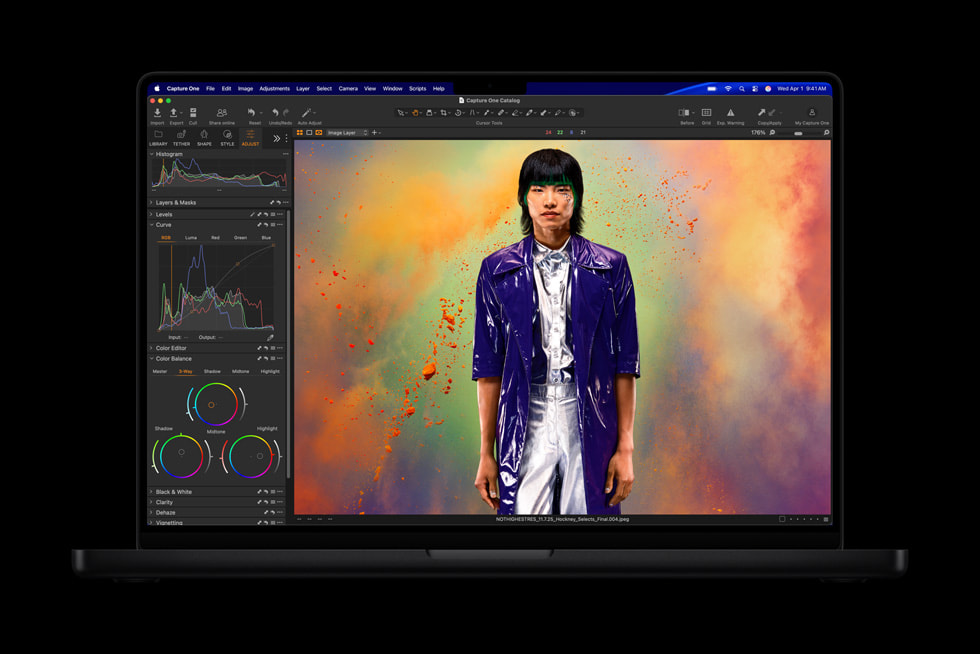
Apple MacBook Pro
14-inch and 16-inch · Apple Silicon · Liquid Retina XDR · HDMI · SDXC · MagSafe · Thunderbolt
Professionals comparing a current MacBook Pro configuration should focus on screen size, processor, unified memory and storage. Those choices have a larger effect on long-term usefulness than colour or cosmetic preference.
Display
Liquid Retina XDR
Refresh Rate
Up to 120Hz
Battery
Up to 24 Hours*
Sizes
14" and 16"
Video
HDMI
Media
SDXC Slot
*Maximum battery figures depend on the specific MacBook Pro configuration and workload.
Quick Verdict
MacBook Pro makes the strongest case when your laptop is directly connected to your income.
Airline managers, aircraft brokers, analysts, consultants and creative professionals can accumulate thousands of working hours on the same computer during its useful life.
In that environment, battery endurance, screen quality, memory capacity and dependable performance matter considerably more than saving a few hundred dollars at the time of purchase.
Aviation Work Rarely Happens in One Place
Aircraft transactions, airline operations and aviation advisory work routinely cross cities and time zones.
An aircraft broker may review maintenance records in London before traveling to inspect an aircraft in Geneva. An airline commercial manager may compare capacity proposals while waiting for a connection. A consultant may need to revise a financial model immediately before a client meeting.
Those users cannot assume that a large external display, full-size keyboard or permanent electrical outlet will always be available.
Executives traveling internationally can also read ACMI World's international charter guide for business flyers for the aviation side of managing international business travel.
Aircraft Brokers
Review specifications, valuations, maintenance records, presentations, virtual data rooms and high-resolution aircraft photography.
Airline Executives
Work through schedules, contracts, route information, presentations and large spreadsheets while moving between stations.
Aviation Consultants
Run financial models, research, document preparation and client workflows without relying on an office workstation.
Pilots
Study, manage schedules, complete administrative work and handle communications between trips.
Aviation Media Teams
Process aircraft photography and video while taking advantage of the built-in SDXC slot and Apple media engines.
Frequent Business Travelers
Carry workstation-level computing capability without transporting a large desktop-replacement laptop through every airport.
Liquid Retina XDR
The Display Is One of the Strongest Reasons to Choose MacBook Pro
Apple's current MacBook Pro uses a Liquid Retina XDR display with ProMotion adaptive refresh rates up to 120Hz.
Apple specifies up to 1,600 nits of peak HDR brightness and up to 1,000 nits for SDR content outdoors on the current professional models.
Those specifications become useful when the same machine moves between a dark aircraft cabin, a brightly lit airport terminal, an office and an outdoor working environment on the same day.
14-Inch vs 16-Inch MacBook Pro for Air Travel
Screen size creates one of the most important trade-offs for frequent travelers.
The 16-inch MacBook Pro provides considerably more room for spreadsheets, financial models, editing timelines and multiple documents. It can feel much closer to a conventional desktop workstation.
The 14-inch version gives up some of that native workspace in return for easier transport. It fits into smaller bags and is much easier to position on a restricted aircraft tray table.
For professionals who fly every week, the 14-inch MacBook Pro is usually the more balanced choice. People replacing a desktop workstation and traveling less frequently may gain more from the 16-inch version.
| Priority | Better Fit | Reason |
|---|---|---|
| Weekly flying | 14-inch | Easier to carry and use aboard aircraft |
| Large financial models | 16-inch | Greater built-in working area |
| Client meetings | 14-inch | More portable between locations |
| Video editing | 16-inch | More room for previews and timelines |
| Desktop replacement | 16-inch | Maximum integrated workspace |
Battery Life Matters More at an Airport Than It Does at a Desk
Apple advertises up to 24 hours of battery life on current MacBook Pro configurations, although actual endurance varies substantially by workload.
Video editing, development work and local AI workloads naturally consume more energy than writing documents or reviewing email.
The real advantage is not the ability to work continuously for 24 hours.
It is being able to start working before a flight, continue in the lounge, use the computer in the air and resume after landing without constantly planning the day around charging.
Most Aviation Executives Do Not Need the Fastest MacBook Pro
Apple's current professional MacBook lineup extends through M5 Pro and M5 Max configurations, with the performance ceiling now extremely high for a portable computer.
That does not mean every professional should buy the most expensive machine available.
Email, web applications, Microsoft Office, CRM software, presentations, PDFs and video calls are unlikely to exploit the full capability of a high-end Max configuration.
Pro-level configurations become more attractive for software development, demanding financial work, large datasets, heavy multitasking and professional media production.
Max configurations make the strongest case when the workload genuinely benefits from additional graphics capability, memory bandwidth and very large unified-memory configurations.
On-Device AI
Local AI Capability Is Becoming More Relevant to Professional Buyers
Apple designed the current M5 Pro and M5 Max generation with substantially greater on-device AI capability, including Neural Accelerators within the GPU architecture.
Aviation professionals handling transaction documents, proprietary datasets or internal analytical material may increasingly value the ability to perform more processing locally rather than automatically moving every workload into the cloud.
Configuration Advice
Memory and Storage Can Matter More Than Buying the Fastest Processor
Unified memory and internal SSD capacity are not conventional user-upgrade items on MacBook Pro.
A professional expecting to keep the same machine for several years should leave enough headroom for larger applications, growing client files, media libraries, virtual machines and increasingly common local AI workloads.
MacBook Pro Has Ports That Make Sense for Business Travel
Current MacBook Pro models include HDMI, an SDXC card slot, MagSafe charging, a 3.5 mm headphone connection and multiple Thunderbolt ports.
HDMI solves a surprisingly common problem for traveling executives: arriving at an unfamiliar conference room and needing to connect to a presentation display immediately.
The SDXC slot is useful to aircraft photographers, videographers and marketing teams who regularly handle large amounts of high-resolution media.
Thunderbolt allows the same laptop to connect to high-speed storage, docking equipment and multiple external displays once the user returns to a permanent workspace.
The 14-Inch MacBook Pro Is Particularly Well Suited to Frequent Flying
Laptop dimensions become more important the moment the passenger in front reclines their seat.
A 14-inch MacBook Pro still provides enough screen area for meaningful professional work while remaining small enough to use in considerably more travel environments than a large desktop-replacement laptop.
Business-class cabins and private aircraft give larger computers more space, but professionals flying mixed itineraries cannot assume every sector will provide a generous workstation.
Companies managing demanding multi-city itineraries can also review ACMI World's guide to executive roadshow charter for multi-city business days .
Video Calls Are Part of the Hardware Requirement Now
Current professional MacBook Pro models include a 12MP Center Stage camera, studio-quality microphones and a six-speaker audio system.
Those specifications may sound secondary next to processor performance, but a broker or consultant can spend more time on calls than rendering video.
Good built-in communications hardware reduces the need to carry another webcam, external microphone or speakerphone from one meeting to another.
Important for Aviation Buyers
Check Your Mission-Critical Aviation Software Before Choosing macOS
Mainstream productivity applications and many aviation platforms now operate through web browsers or support macOS directly.
Some maintenance, engineering, dispatch and legacy operational applications remain dependent on Windows. A company relying on one of those systems should verify compatibility before making MacBook Pro its only computer.
What We Like and What Buyers Should Consider
Reasons to Buy
- Excellent Liquid Retina XDR display.
- Strong battery endurance.
- High performance away from mains power.
- 14-inch and 16-inch configurations.
- HDMI output.
- Integrated SDXC card reader.
- Fast Thunderbolt connectivity.
- Strong professional media performance.
- Excellent external-display support.
- Increasingly capable local AI performance.
Reasons to Think Twice
- Premium purchase price.
- Many office workloads do not need high-end processor performance.
- Unified memory cannot simply be upgraded later.
- Larger SSD configurations can increase the purchase price quickly.
- The 16-inch model is less convenient aboard smaller aircraft cabins.
- Some specialist aviation applications remain Windows-only.
- Different MacBook Pro generations can look very similar, so specifications require attention.
Cost of Ownership
A Premium Laptop Can Be Inexpensive on a Per-Working-Hour Basis
Someone using the same laptop eight hours per working day can accumulate thousands of hours of use over a normal ownership cycle.
Spread the purchase cost over that period and improvements in battery endurance, display quality and performance can represent a relatively small expense compared with the value of the work being performed on the machine.
Compare the Specification Before Buying
The MacBook Pro configuration currently available here should be checked against the workload you actually expect to run.
For frequent travelers, prioritize screen size and weight alongside sufficient memory and storage. For heavier analytical, creative or development workloads, processor and memory capacity deserve more attention.
MacBook Pro Is One of the Strongest Travel Workstations Available
Strong battery endurance, an excellent display, substantial computing performance and useful physical connectivity make MacBook Pro particularly well suited to professionals whose work follows them through airports and aircraft cabins.
For frequent travelers, the 14-inch model offers the better balance between workstation performance and portability. The 16-inch version makes more sense when built-in screen area outweighs cabin convenience.
The smartest configuration is rarely the most expensive one. Buy enough memory, storage and processing capability for several years of professional use without paying for performance that your workload will never exploit.
Professionals evaluating alternatives to scheduled airline travel can also compare jet cards versus on-demand private charter when planning recurring executive travel.
Choose the Configuration Around the Work You Actually Do
A mobile executive working primarily in documents and browser applications has very different requirements from a developer, analyst or aviation media professional processing large datasets and high-resolution files.
Before purchasing, compare the available MacBook Pro specification with the screen size, memory and storage your workflow requires rather than paying automatically for the highest configuration.
MacBook Pro for Aviation Professionals FAQ
Is MacBook Pro good for pilots?
MacBook Pro is well suited to studying, administrative work, communications and compatible aviation applications. It is a general-purpose computer and is not certified cockpit navigation equipment.
Is the 14-inch or 16-inch MacBook Pro better for frequent flyers?
The 14-inch version is generally easier to carry and use aboard aircraft. The 16-inch model provides more built-in working area for spreadsheets, editing and other demanding workflows.
How long does MacBook Pro battery life last?
Apple advertises up to 24 hours of battery life on current MacBook Pro configurations. Actual endurance varies with processor, workload, network activity and display settings.
Does MacBook Pro have HDMI?
Yes. Current MacBook Pro models include HDMI alongside an SDXC card slot, MagSafe charging, a headphone connection and Thunderbolt ports.
Can MacBook Pro run aviation software?
Many aviation platforms run through web browsers or support macOS directly. Some specialist maintenance, engineering and operational applications remain Windows-only, so buyers should confirm compatibility before switching.
How much memory should an aviation professional choose?
It depends on the workload. Standard office and browser-based work requires far less memory than large data analysis, professional media production, virtual machines or local AI applications. Buyers should also account for several years of expected use because unified memory cannot simply be upgraded later.
What should I check before choosing a MacBook Pro configuration?
Check the processor generation, display size, unified memory and SSD capacity first. These have the greatest effect on performance, portability and useful service life.
Product Information
Buyers can compare the current MacBook Pro configuration and pricing here . Technical specifications for the current product family are also available directly from Apple.